Crossword
Fill a Scripture grid from the bundled word bank. Clues point to verses you can open in the 1611 reader.
Scripture in your hands
The 1611 King James Bible, a focused reader, and tools for deeper study on Android. Read offline and bring your people along through Together when you choose.
Available on Google Play
Open the official Google Play listing and install the Android app. The listing is published by A.Insiders for package org.kingjames1611assistant. Reading is free and does not require a Together account.
Joining the current Android test? If Google Play shows a closed-test gate, email [email protected] from the Google account used on your Android phone for an invite. Never send a password or access code.
Newer in the app
Crossword, Word Search, Bible Quest, a living tree, and verse-over-verse compare — the same gold-and-leather study desk, now with depth you can feel.
Fill a Scripture grid from the bundled word bank. Clues point to verses you can open in the 1611 reader.
Hunt Bible words on the grid, then look the verse up without leaving the game.
Know the Word, prove the truth, walk the story. Badges stay on the phone unless you opt into Together Cloud backup.
Plant one tree and tend it through the year. Growth stays with your study, not a social feed.
Stack King James 1769, AKJV, Webster 1833, ASV 1901, WEB, NHEB, and Berean Standard under a verse. Search and Together AI still quote 1611.
Published Together prayers move in a closed window on this site — names never appear, even if the wall holds millions of requests.
What you can do
Profound truth, simply stated. The app teaches from the King James Bible and points to Christ — not to a personality, a trend, or another faith.
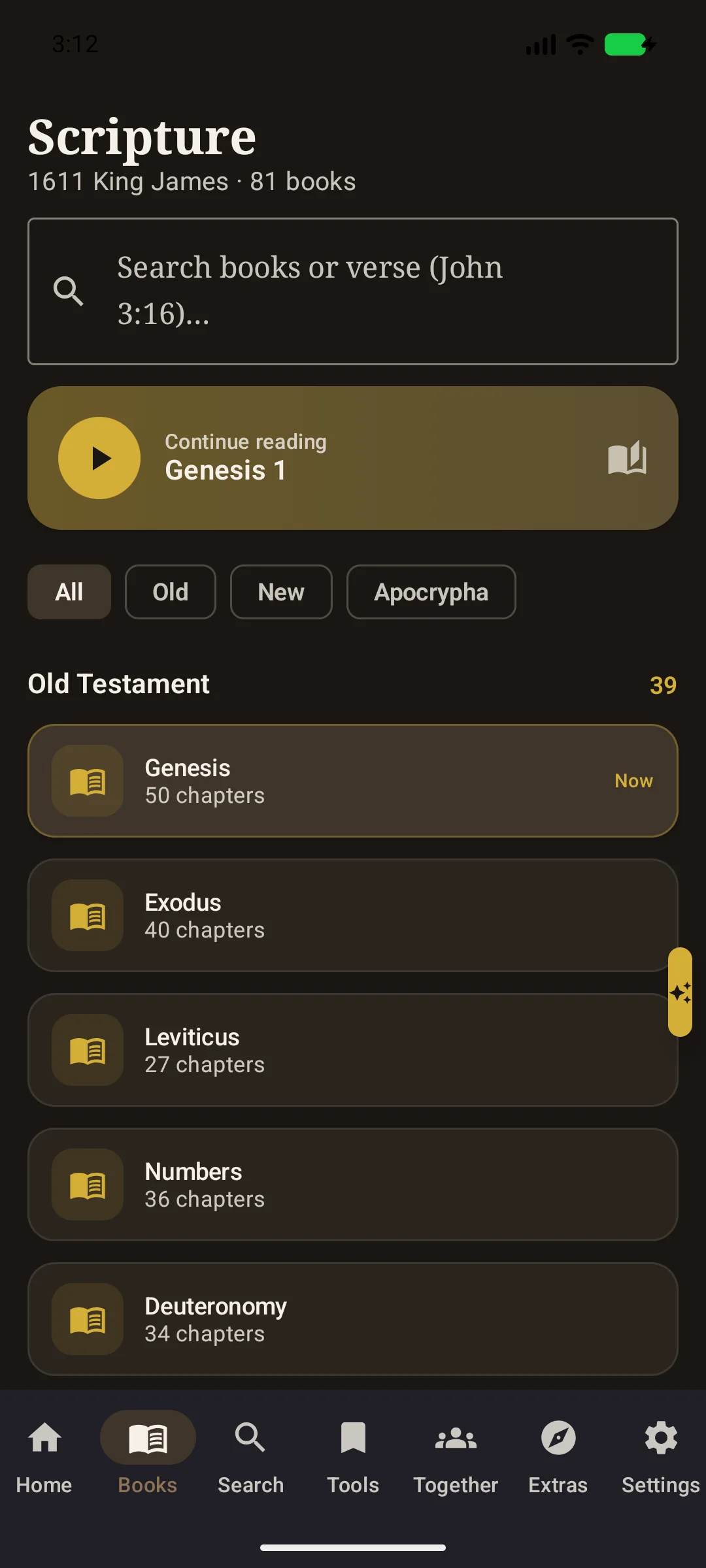
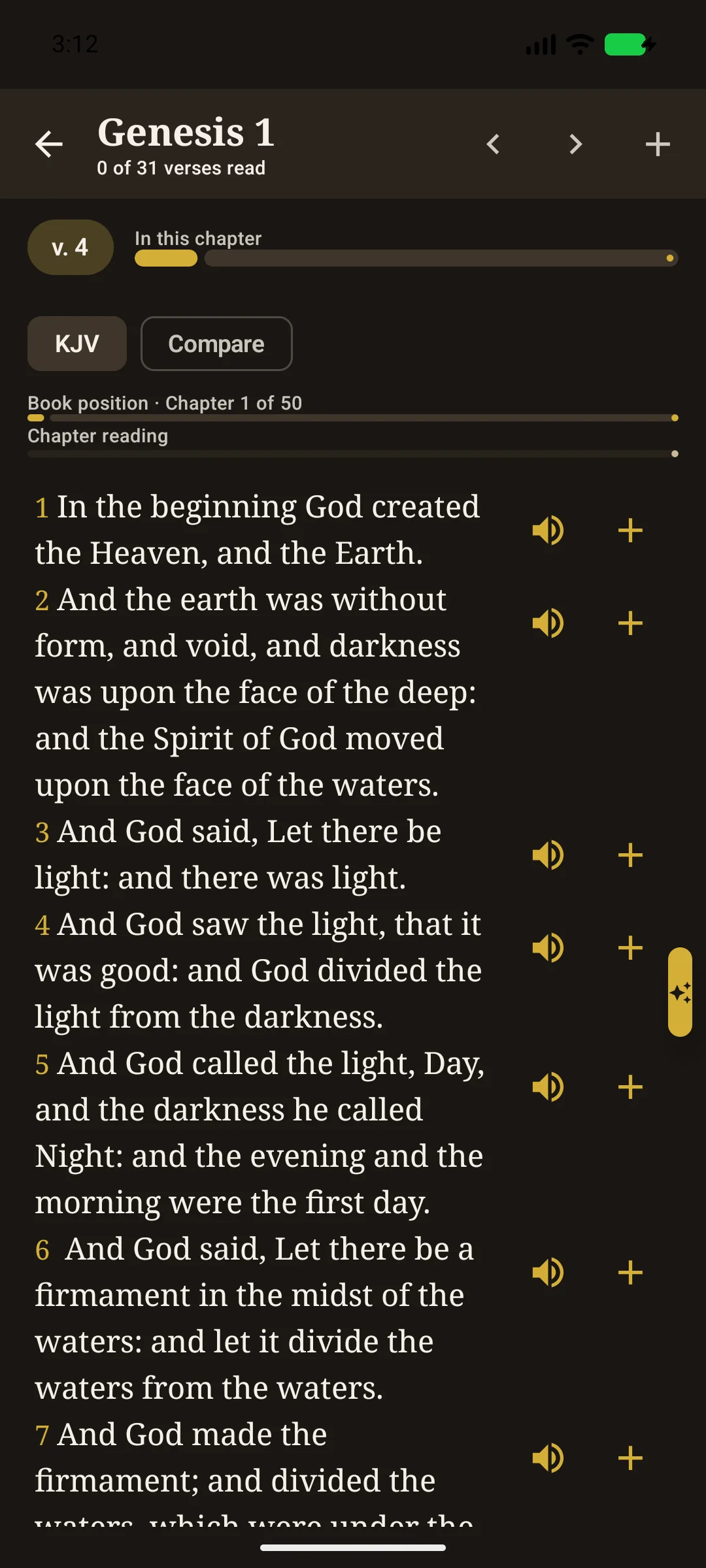
The complete 1611 King James Bible stays on your phone, including the Apocrypha as printed in 1611. Display spelling is eased for reading; the underlying verse text used for study and citations is not rewritten.
Full-text search, cross-references, Easton’s Bible Dictionary, offline maps, bookmarks, highlights, notes, and reading plans — all available without an internet connection.
Together AI is the Bible teacher you ask questions. It looks up King James verses on the phone, then writes the lesson. Saved chats stay on the device. Scholar can also save those chats to your Together account. Premium does not.
Hear Scripture free with a voice on this phone, with no time limit. Premium and Scholar include unlimited use of a clearer cloud narrator. It is not a custom voice.
The Tools tab holds personal study helpers. Extras include parables, people, prophecies, the Ten Commandments, fruit of the Spirit, spiritual gifts, the armor of God, a timeline, Living Scripture Tree, games, and Bible Quest.
Invite-only groups for shared catalog plans, custom reading schedules, and prayer. Free accounts can create up to 3 groups. New accounts confirm by email on this website, then you can sign in here or in the Android app. Published prayer text also appears on this site’s prayer wall with no name. A Together account is not required to read the Bible. Group Chat follows the group owner’s paid plan.
Together is optional and invite-only. Groups can share a catalog plan or a custom reading schedule, encourage one another, and keep prayer before the Lord. Admins can start or stop a plan, and can kick, unkick, ban, or unban a member. After you create an account, the confirmation email opens a page on this site that tells you the account is ready. Then sign in on this website or in the Android app. Published prayer request text also appears on this site’s prayer wall with no name. You can keep reading with no Together account at all. Group Chat follows the current group owner’s paid plan.
Free: 2 Together AI credits a day, 3 groups, Chat in 1 group, and unlimited listening on the phone. Premium ($11.99/month or $89.99/year): 250 credits a month, Chat in every group (up to 20), unlimited Premium voice, and cloud save of settings and progress. Scholar ($19.99/month or $149.99/year): 750 credits a month, up to 100 groups, unlimited Premium voice, Deep study, and cloud save of Together AI chats. The app quotes each answer allowance before generation. Longer context, stronger reasoning, and longer answers can use more credits. Additional generations need a new approval. Premium voice is a clearer cloud narrator, not a custom voice. Cards never enter the app. Pay on this website with Stripe. Open Plan and billing.
Your Bible, search, phone voice, bookmarks, notes, highlights, chats, and personal plans stay on the phone. No ads. No analytics. Online Mode currently starts on; you can turn it off in the app to block Together, Cloud Ask, Cloud Listening, and model downloads during that session.
The program is licensed under the GNU GPL v3. The King James text is public domain in most countries. In the United Kingdom, Crown printing rights for the Authorised Version may still apply to commercial printing.
Questions
It is a Christian Android app for reading and studying the 1611 King James Bible. Jesus Christ is Lord and Savior, and the teaching stays with Scripture. It is not a wellness app and not a multi-faith tool.
Yes. Reading, search, bookmarks, notes, highlights, plans, dictionary, maps, and core study work without a network. You can turn off Online Mode in the app for that session. Together groups need the network and an invite.
The public-domain 1611 King James Version covers the historical 80-book collection (66 canonical plus 14 Apocrypha). The app displays 81 entries because Letter of Jeremiah is separate from Baruch chapter 6. Display spelling is modernized for readability. The stored verse text used for citations is the 1611 wording. Compare can stack King James 1769, American King James, Webster 1833, ASV 1901, World English Bible, New Heart English Bible, and Berean Standard Bible under a verse. Search and Together AI stay on 1611.
No. The app is not Adrian Rogers, Love Worth Finding, or Bellevue Baptist Church, and is not endorsed by them. Teaching aims at clear, Christ-centered, Scripture-applied help in an original pastoral voice.
Open BibleTogether on Google Play and tap Install on a compatible Android device. The listing uses package org.kingjames1611assistant. Companion/standard APKs use the same package id and are not the Play Store build. Older com.example.kingjames1611assistant installs are a different app. F-Droid is not a shipping flavor.
Yes, in Play and companion/standard Android builds. Verse lookup stays on the phone. The written lesson goes to our Cloudflare host when Online Mode is on. We do not keep a lasting training archive of Together AI chats. Saved chats stay on the phone. Scholar can save those chats to your Together account; Premium does not. Together AI is a Bible-study helper, not a general chatbot, and it is not the voice of God.
Sign in on the Together account page with the same email as the app. Tap a Pay button. Stripe opens next. Your card never enters the app.
Free: the King James Bible, 2 Together AI credits a day, 3 groups, Chat in 1 group, unlimited listening on the phone.
Premium ($11.99 a month or $89.99 a year): 250 credits a month, Chat in every group (up to 20), unlimited Premium voice, and cloud save of settings and progress. Together AI chats stay on the phone. Deep study is on Scholar.
Scholar ($19.99 a month or $149.99 a year): 750 credits a month, Deep study and Go Deeper, up to 100 groups, unlimited Premium voice, and cloud save of Together AI chats. The app quotes each answer allowance before generation. Longer context, stronger reasoning, and longer answers can use more credits. Additional generations need a new approval. Premium voice is a clearer cloud narrator, not a custom voice.
The Play privacy policy is this site’s Privacy Policy. Account deletion is at account deletion. Operators filling Play Console should use the Play declarations page (Developer Program Policies and US export / encryption) and the Data safety worksheet.
An optional invite-only group feature for shared plans and prayer. Sign-in is only for Together. Kick means an admin can restore the person with Unkick. Ban means they cannot rejoin until an admin Unbans. Regular reading never requires Together. After you create an account, check email: the confirmation link opens this site’s confirmation page. Then sign in here or in the app. Prayer request text also appears on the public prayer wall without any name.
Use the newest confirmation email. It should open a page on this website that says the account was created successfully. Then return to the Android app, turn Online Mode on if needed, and Sign in. If the link is old, create the account again so a fresh email can be sent. You can also open this website anytime from Settings → Data in the app.
Read the Privacy Policy, Terms of Use, and account deletion pages. The same website is linked in the App under Settings → Data, directly above the version number. Reading the Bible does not create an account. Together (Play and companion/standard) uses email sign-in. Delete that cloud copy in the App under Settings → Data, on the Together account page after you sign in, or email [email protected] if you need a person to confirm.
Email [email protected], or use the chat button on this page. Someone from the project, or the site assistant when it is on, can answer questions about the app, install, privacy, and how to study with it.
Talk with us
Open the chat widget in the corner, or email [email protected]. Ask about installation, reading plans, Together groups, or how to keep the Word close in daily life. We will point you back to Scripture and to the features already on your phone. Do not send passwords in chat or email.